

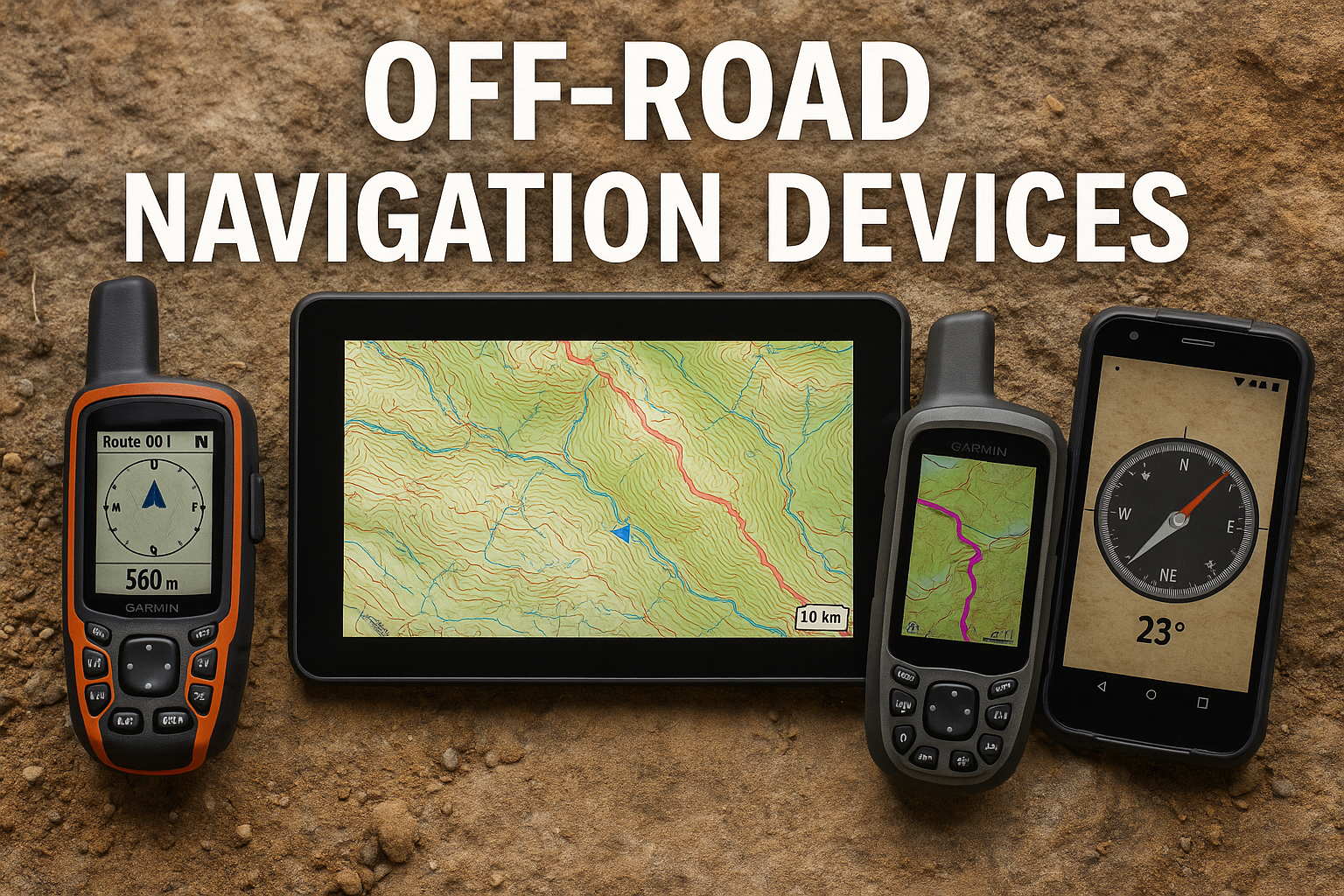
Off-road navigation is less about one perfect device and more about building a dependable stack: a route-planning source, an offline map, a vehicle-friendly display when you need turn-by-turn trail guidance, and a backup communication option when cell service disappears. For overlanding and remote camping, the best setup is the one that still works when a phone app loses data, a trail changes, or the original plan needs a safer fallback.
This refreshed guide is research-based. It compares navigation categories and source-backed features rather than claiming first-hand product use.
Quick Answer: What Type of Off-Road GPS Do You Need?
Choose based on the trip, not just the screen size.
- Vehicle-mounted off-road GPS: Best for 4×4 route visibility, larger displays and turn-by-turn trail guidance in the vehicle.
- Handheld GPS with satellite messaging: Best when you leave the vehicle, travel in remote terrain or want navigation and communication in one rugged device.
- Satellite communicator: Best as a lightweight emergency messaging and tracking backup when you already navigate with another map system.
- Offline map app: Best for planning, saved maps and flexible route review, especially when paired with a non-phone backup.
For many beginner overlanding trips, a strong setup is an offline map app plus a paper or official map backup. For longer or more remote routes, add a dedicated GPS or satellite communicator so navigation and communication do not depend entirely on a single phone.
Why Off-Road Navigation Needs a Backup Plan
On paved roads, navigation often means following a live traffic app. Off pavement, the job changes. You may need to confirm whether a route is open, understand the terrain around a trail, follow a saved track, reroute when conditions change, and keep essential information available without cell service.
A phone can still be useful, especially with offline maps saved in advance. But it is a fragile single point of failure if it is the only map, only GPS, only route note and only communication device. Treat your navigation system as layers:
- Official route or land-management information.
- Offline digital maps.
- A device or app you know how to use before the trip.
- A backup reference that does not depend on data service.
- A conservative communication plan for remote routes.
Our separate guide to offline navigation for camping and overlanding walks through that preparation workflow in more detail.
Best Off-Road GPS Categories to Compare
Vehicle-Mounted Overlanding GPS Units
A vehicle-mounted GPS is most useful when you want a larger screen, a rugged mounting setup and navigation designed around roads, trails and route visibility from the driver’s seat. Garmin’s Tread 2 Overland Edition documentation describes an 8-inch model with an IP67 dust and water rating, 64 GB internal storage, map updates, public land boundary information, USFS road and trail data and turn-by-turn trail navigation.
That type of unit makes the most sense for drivers who spend enough time on backroads or vehicle trails to benefit from a dedicated dashboard display. It is less compelling if your trips are mostly developed campgrounds, short forest-road drives or occasional weekend routes where a prepared offline map app is enough.
Best fit:
- Overlanding routes with frequent vehicle navigation decisions.
- Drivers who prefer a mounted screen over a phone.
- Trips where turn-by-turn trail navigation and public-land context are useful.
Watch-outs:
- Large vehicle units can be expensive.
- They still need current map data and route judgment.
- A mounted GPS does not replace official land-management rules.
Handheld GPS Devices With inReach Features
A handheld GPS is more flexible when you might step away from the vehicle, hike from camp or carry navigation in a pack. Garmin’s GPSMAP 67i specifications list a rechargeable lithium-ion battery, GPS mode, expedition modes, IPX7 water rating and inReach-enabled tracking options. Garmin’s documentation also describes inReach satellite communication as requiring an active satellite subscription for messaging and SOS-related features.
For overlanding, the handheld format is useful because it can move with the person, not just the vehicle. It can serve as a navigation backup when the truck is parked, when a phone battery is low or when you want a device built for outdoor use.
Best fit:
- Trips where you navigate away from the vehicle.
- Remote routes where satellite messaging is part of the plan.
- Users who want a rugged GPS instead of relying only on a phone.
Watch-outs:
- inReach services require setup and subscription.
- Satellite messaging is not the same as guaranteed rescue.
- Small screens are less comfortable for dashboard route review.
Compact Satellite Communicators
A satellite communicator is not always a full navigation replacement. Its value is communication and tracking when cell coverage is unavailable. Garmin’s inReach Mini 2 product information emphasizes two-way messaging, location sharing and SOS functionality through the Iridium satellite network, with battery life depending on settings and tracking intervals.
This category fits travelers who already use another map system but want a separate communication layer. For many campers and overlanders, that separation is the point: the phone or tablet handles map review, while the satellite communicator provides a backup way to send messages or share location.
Best fit:
- Remote trips where communication matters more than a large GPS screen.
- Travelers who already have a preferred offline map app.
- Minimalist setups where pack size and weight matter.
Watch-outs:
- It should be configured and checked before the trip.
- Messaging plans and subscriptions vary.
- SOS features should be treated as emergency tools, not risk permission.
Offline Map Apps
Offline map apps are often the easiest starting point. Gaia GPS says its app can download maps to a device for offline use, and its help documentation explains that Premium users can download offline maps with some source-specific tile limits. Apps can also make route planning easier because they work on a phone, tablet or desktop workflow.
The limitation is dependency. A phone can run out of battery, overheat, break, lose GPS accuracy in challenging conditions or become hard to use in bad weather. Offline maps are excellent when they are checked in airplane mode before departure and paired with a backup.
Best fit:
- Beginner camping and overlanding route planning.
- Saved map areas, GPX review and flexible pre-trip research.
- Trips where a phone or tablet is already part of the workflow.
Watch-outs:
- Downloaded maps need to be saved before coverage disappears.
- Some features require a paid plan.
- A phone should not be the only route record on remote trips.
How to Choose an Overlanding Navigation Setup
Start With the Route
The right navigation system depends on what the route asks of you. A weekend at an established campground does not require the same setup as a multi-day backroad route across public land. Before buying anything, answer these questions:
- Will you be on official roads, marked trails, dispersed camping routes or developed campgrounds?
- Do you need turn-by-turn trail navigation from the vehicle?
- Will you leave the vehicle for hikes or scouting?
- How likely is poor cell coverage?
- Do you need two-way communication beyond cell service?
- What backup will you use if the phone or primary GPS fails?
For public-land driving, confirm route legality with the responsible agency before relying on any navigation product. Our public-land overlanding route planning guide explains that workflow.
Match Device Type to Trip Style
For simple car camping, an offline map app, a saved campground page and a paper backup may be enough. For overlanding routes with multiple trail decisions, a vehicle-mounted GPS can reduce phone dependence and improve visibility. For remote solo travel or routes beyond reliable communication, a satellite communicator or inReach-enabled handheld may be a more important upgrade than a larger screen.
There is no universal “best” navigation system. A better question is: what failure are you trying to prevent?
- Losing data service: download offline maps.
- Losing phone power: carry a power plan and a non-phone backup.
- Needing vehicle route visibility: consider a mounted GPS.
- Leaving the vehicle: consider a handheld GPS.
- Needing remote messaging: consider a satellite communicator.
Check Map Coverage and Update Workflow
Navigation hardware is only as useful as the maps and route data behind it. Look for:
- Offline map downloads.
- Route import or track-following tools.
- Public-land or trail context where appropriate.
- Map update process.
- Device storage or expansion options.
- Clear subscription requirements.
Avoid treating a route line as permission to drive. A map may show a road that is closed, private, seasonal or unsuitable for your vehicle. Official agency maps and alerts still matter.
Recommended Navigation Stack for Beginners
If you are building a first overlanding navigation setup, start practical:
- Primary map app: Save the trip area offline and test it in airplane mode.
- Official route source: Download or print the relevant campground, park, forest or route information.
- Power backup: Carry enough charging capacity for the planned trip.
- Non-phone backup: Keep a printed map, written route notes or another offline reference.
- Communication backup: Add a satellite communicator if the route is remote enough that cell service cannot be assumed.
Then upgrade only where your trips justify it. A vehicle-mounted GPS can be worthwhile for repeated 4×4 route work. A handheld GPS can be worthwhile when you navigate away from the vehicle. A satellite communicator can be worthwhile when communication is the bigger gap than mapping.
Common Mistakes to Avoid
Do not buy a GPS and skip the planning. A device does not know your comfort level, vehicle condition, weather tolerance or local restrictions.
Do not assume a phone map is saved because you viewed it once. Open your maps offline at home before the trip.
Do not rely on old trail reports. Route conditions, closures and fire restrictions can change.
Do not confuse satellite SOS with a safety guarantee. It is a serious emergency tool with limits, subscription requirements and response variables.
Do not remove all redundancy. A good navigation plan still works if one layer fails.
Final Recommendation
For most campers and beginner overlanders, start with an offline map workflow you have checked at home, official route information and a basic non-phone backup. If your trips move deeper into remote areas, add the missing layer: a mounted GPS for vehicle route visibility, a handheld GPS for away-from-vehicle navigation or a satellite communicator for remote messaging.
The strongest off-road navigation setup is not the most expensive one. It is the one you understand before leaving, can access without cell service and can back up when the original plan changes.